
Technology
Google Workspace
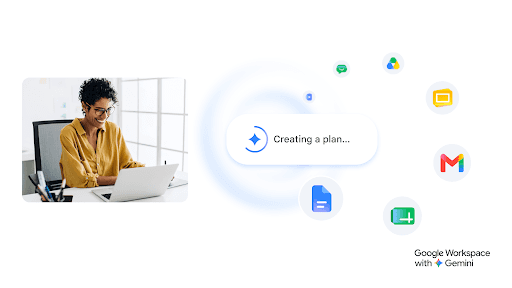
Product tutorials and workflow guidance help users work across Gmail, Docs, Sheets, Slides, Drive, and related Google Workspace tools. The catalogue is unusually extensive, with thousands of videos supporting both introductory use and more advanced customization, integration, and extension topics. Gemini is presented as part of the evolving Workspace workflow rather than as a standalone subject. This is a practical resource for teams, educators, and business users building familiarity with a widely used productivity suite.
Top PickTechnology
Editorially reviewed:

Viewer engagementModerate engagement
Based on 20 recent videos
Assessed 08 October 2026
Editorial focusBusiness Software AI & Machine Learning
Editorial note
WorthWatch verdict
Best for
Google Workspace users, admins, educators, and teams learning product workflows
Strength
Clear product walkthroughs across Workspace apps, Gemini features, and everyday collaboration tasks
Consider if
You want official product guidance rather than independent comparisons or procurement analysis
Recent videos
Latest from the source
Deep Dive
Google Workspace: Practical Workflows Across the Productivity Suite
Main focus
Google Workspace maps everyday collaboration across Gmail, Docs, Sheets, Slides, Drive, and related tools. It also moves beyond basic use into customization, integrations, and extensions, with Gemini woven into broader workplace and classroom workflows.
Why it matters
Teams setting up shared documents, communication, and file workflows can use these tutorials to turn individual product features into day-to-day routines. The range supports newcomers learning the suite as well as users refining more technical setups.
Style
Product-led walkthroughs explain how individual tools connect, then extend into customization and integration topics. The emphasis stays on practical use across business, education, and team settings, with Gemini framed as part of the wider suite.
Consistency
Its extensive archive covers both introductory product use and more advanced configuration, making it useful for returning to a specific Workspace task as needs change.
- Gmail and communication workflows
- Docs, Sheets, and Slides collaboration
- Drive organization and file sharing
- Team and classroom productivity
- Workspace customization and extensions
- Integrations and advanced setup
- Gemini-enabled workflows
Editorial note
Treat product guidance as vendor-led and check current settings, privacy controls, administrative policies, and feature availability before applying it across an organization.
Related channels
More in Business Software and AI & Machine Learning
 Top Pick
FocusBusiness Software Data Engineering
MyOnlineTrainingHub
Excel and Power BI instruction anchors this channel’s practical, career-oriented teaching. A catalogue of 444 videos and roughly 74 million views...
 Top Pick
FocusBusiness Software
SourceCAD
CAD and engineering software tutorials form the core of SourceCAD, spanning AutoCAD, Fusion 360, Solidworks, Revit, Civil 3D, and related tools. Its...
 Top Pick
FocusProfessional IT Certification AI & Machine Learning
NetworkChuck
NetworkChuck is a large, clearly positioned technology education channel focused on helping viewers learn IT topics and prepare for certifications...
 Top Pick
FocusDeveloper Education AI & Machine Learning
Fireship
Fireship teaches programming concepts and developer-facing technology news through compact, high-intensity tutorials designed to help viewers build...